Inventory forecasting
Use recent Shopify sales and your planning settings to understand upcoming inventory needs.
Inventory planning for Shopify
ReorderPilot helps Shopify merchants forecast inventory needs, get reorder recommendations, create and send purchase orders, track receiving, and sync received stock back to Shopify.
14-day free trial · $49/month · No separate account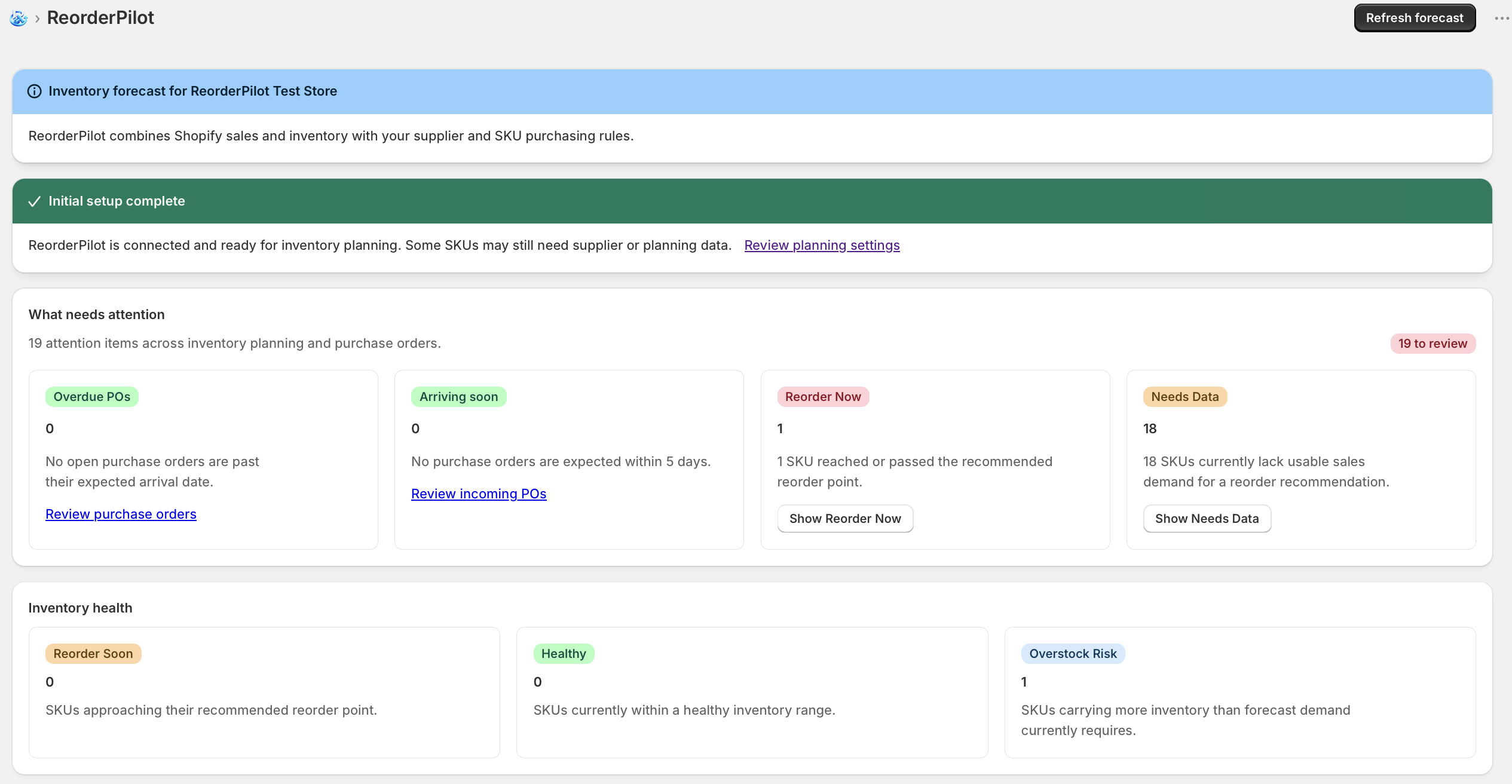
One connected workflow
Move from inventory signals to stocked shelves without stitching together separate tools.
Everything in one place
Use recent Shopify sales and your planning settings to understand upcoming inventory needs.
See which products need attention and review a recommended reorder quantity.
Plan around lead time, safety stock, reorder cycles, minimum quantities, and case packs.
Keep supplier contacts, ordering details, lead times, and assigned products together.
Create purchase orders and follow each one from draft through ordering and receipt.
Send complete purchase orders to supplier contacts directly from ReorderPilot.
Record partial deliveries as they arrive or receive a purchase order in full.
Sync received quantities back to the selected Shopify inventory location.
Track expected arrival dates and open purchase orders alongside your inventory plan.
How it works
Work with your Shopify catalog, inventory, recent order activity, and planning settings.
Review recommendations, build a purchase order, and send it when ready.
Record partial or full deliveries and sync received inventory to Shopify.
Simple pricing
Start with a 14-day free trial. Install through Shopify—no separate account or password required.
Monthly billing · Annual billing availableReorderPilot
ReorderPilot uses recent Shopify order activity, current inventory, and settings such as lead time, safety stock, and reorder cycle to estimate demand and recommend what to reorder.
Yes. Review product settings and recommended quantities before creating or sending a purchase order.
Yes. Maintain supplier details, assign products, and create purchase orders for the appropriate supplier.
Yes. Add a supplier email address, review the purchase order, and send it from ReorderPilot.
Record a partial receipt and keep the remaining quantity open, then receive the rest against the same purchase order.
When inventory is received, ReorderPilot can update quantities at the Shopify location associated with the purchase order.
Yes. Open purchase orders and expected arrival dates show incoming inventory while you plan.
Install from the Shopify App Store to begin the 14-day free trial. No separate ReorderPilot account is required.
Make the next reorder clearer